
Mactec Packaging Equipment
How to Work Out the Packaging Machine Speed You Need
Buyers often open a conversation with a speed: “we need 60 cups a minute,” “250 tablets a minute,” “100,000 pouches a week.” Those numbers are a good start, but they rarely describe the same thing. Before you compare machines, it helps to turn your target into a figure a machine builder can check.
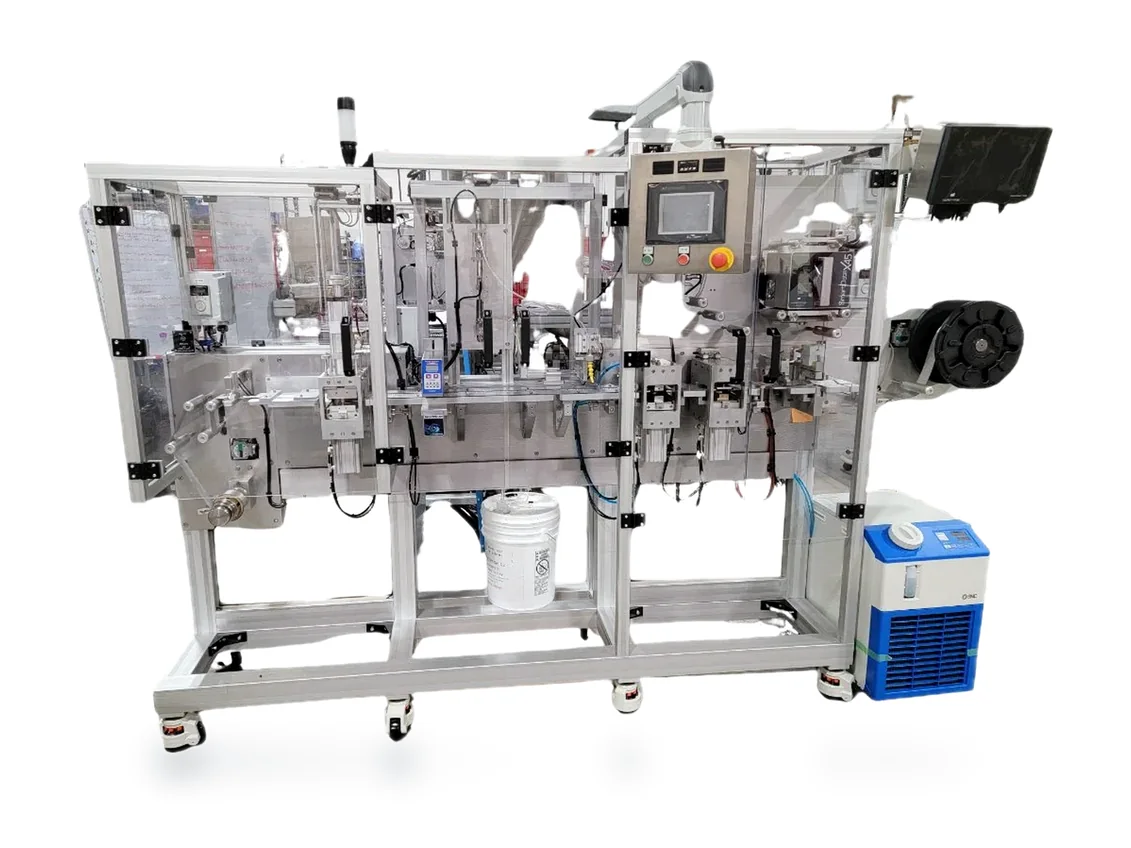
This guide covers the arithmetic, the units that cause confusion, and what to send us.
What unit is your target actually in?
“Speed” can mean at least five different things:
- Cycles per minute (cpm). One cycle is one complete machine stroke, such as one index (step) of a rotary table or one forming-and-sealing stroke on a blister machine. Our model pages state speed this way.
- Packages per cycle. Multi-up tooling makes more than one package per cycle. “Two-up” means two packages, or two blister cards, each cycle.
- Cavities per package. A blister card may hold 10 cavities.
- Units per cavity. One tablet per cavity, or several.
- Finished, acceptable packages per hour, shift or week. This is what your business actually needs.
Write down which unit you mean before anything else.
How do cycles per minute turn into packages?
The basic arithmetic is:
packages per hour = cycles per minute × packages per cycle × 60
Illustration only, not a rating for any Mactec machine: at 20 cycles per minute with a two-up tool, the calculation is 20 × 2 × 60 = 2,400 packages per hour of full, uninterrupted running.
Multi-up tooling is the main way to multiply output without asking a machine to cycle faster. The trade-off is that the package layout must fit the forming area or pouch web, and each format needs its own tooling.
To go from tablets to cards, divide. Illustration only: 250 tablets a minute, packed one per cavity into 10-cavity cards, is 25 cards a minute. With a two-up tool, that is 12.5 cycles per minute before any allowance for stops.
Why are machine speeds published as ranges?
Our model pages publish cycle rates as ranges, with the condition attached:
- NANO-XL and MT-150XL blister machines: 5–35 cycles per minute, depending on product characteristics.
- MT Table Top Blister Sealer: 1–10 cycles per minute.
- MTVP160 and MTVP200 vertical pouch machines: 10–35 cycles per minute, depending on product and automation.
- MTHP150 horizontal pouch machine: 10–30 cycles per minute, depending on product characteristics.
- MTMB-24 monoblock filler: 10–15 cycles per minute, depending on product size and fill. MTMB-60: 15–25 cycles per minute, depending on product size and fill, with a listed four-cups-per-index configuration.
The range exists because the product decides how fast a machine runs well: how a tablet feeds, how a liquid fills, how deep a cavity is formed and how long a seal needs. A cycle rate is not a complete description of production capacity, and it is not guaranteed finished-package output.
How do you work backward from a weekly target?
Start with what you must ship, then work down to a cycle rate.
- Weekly finished packages. Example target: 20,000 blister cards a week.
- Hours you will actually run. One 8-hour shift, five days a week, is 40 scheduled hours.
- Time the machine is not making good packages. Changeovers, material reloads, start-up checks, cleaning, breaks and rejects all take time.
- Packages per cycle, from the tooling layout.
Illustration only, using assumed numbers: 20,000 cards ÷ 40 hours = 500 cards an hour. If we assume the line makes good packages for about 70% of scheduled time, it has to make about 715 cards in each productive hour. With a one-up tool, that is about 12 cycles per minute; with a two-up tool, about 6.
The 70% figure is only a placeholder. Use your own history of changeovers, formats and operator time.
A second shift halves the required rate. So does a second package per cycle. Both are worth considering before deciding you need a larger machine.
Where does real output get lost?
- Changeovers. Our tooling changes are designed to be quick, often taking minutes, but the time depends on the machine, the tooling and the product. Ten formats a week cost more time than one.
- Manual loading. If an operator places each product, people set the pace, not the machine.
- Material replenishment. Changing rolls of film or foil and refilling hoppers.
- Inspection and rejects. Packages rejected by a vision check don’t count toward output.
- First-package checks at the start of each batch.
What should you send us?
These numbers let our engineers check your speed target against a configuration:
- Finished packages needed per day, week or year, and how that may grow
- Shifts per day, hours per shift and days per week
- The package: drawing or sample, and cavities or count per package
- Units per cavity, or fill per pouch or cup
- Number of formats and how often you change between them
- How product will be loaded: by hand or automatically
- Printing and inspection requirements
- Current output if you pack by hand today, for example packages per day and the number of people involved
If a number is a hope rather than a fact, say so. Real numbers lead to a machine that fits; wished-for numbers lead to over-buying or under-buying. Our packaging equipment RFQ checklist covers the rest of the information we ask for.
Where should you go next?
Still deciding how much to automate? Read Manual vs. Automated Packaging. To compare blister models side by side, see our blister packaging machines page, or open the NANO-XL model page and download its spec sheet.
When you have your numbers, request a quote and we will review the output you need against your product, package and configuration.
Related buyer guides
- What Drives Packaging Machine Cost? A Buyer's Guide
- Packaging Machine Integration with Robots and Integrators
- Manual or automated packaging?
Discuss your project with Mactec
Request an equipment quote using the existing inquiry form. You do not need a finished specification. If you are unsure where to begin, contact Mactec.